Showing posts with label observing. Show all posts

ssh shenanigans

I use ssh all the time, from simple terminal connections to VNC sessions controlling telescopes to rsyncing terabytes of data to serving my music and video library. Most of the time, the machine I actually want to connect to is not visible from the open internet, and in some cases there are two layers of machines to go through to get to the one I want. I have used various ad-hoc combinations of ssh connections, but I just found a brilliant library that solves several of my problems: paramiko.

(Also, the name is from Esperanto, and the releases are named after gashlycrumb tinies. This is some serious nerdery, here.)


Full post

Blind Zen programming

A recent alarming network problem while trying to observe remotely at Green Bank brought back memories of the age of the 2400 baud modem, when you could often type faster than the system could display your characters. Fortunately I use the text editor vi, which was designed for these conditions. In fact, in this light some of the user interface decisions make a lot more sense.

The most prominent weird UI decision is that the editor has two "modes": insert mode, in which you can actually type text and it goes into your document, and "beep mode" in which the letters on the keyboard all tell the editor to do something (and it beeps if that something doesn't make sense). For example, to move around your document, the keys hjkl move you left down up and right, respectively. Bizarre as it may seem, these keys are on the home row, so if you're doing a great deal of moving around — particularly common when programming, i.e., debugging — this makes a certain sense. (Plus vi users get so hardwired that these become perfectly rational movement keys in video games.) The decision to have an editor-control mode also means that you don't need to press the "control", "alt", or "meta" keys very often, which makes sense since these often didn't work or were inconsistently placed on old UNIX machines. (I spent a while switching between terminals, some of which had "Caps Lock" and "Control" interchanged, and to this day I disable "Caps Lock" on every keyboard I use.)

The use of ordinary (case-sensitive) letter keys for editor commands also means that there's room for lots of editor commands, and they're very quick to use. So, for example, to search forward, you use "/"; "n" takes you to the next match and "N" to the previous. But there's also "f", which searches forward for a single character. While apparently bizarre, when combined with the ability of commands like "delete text" (d) to take an argument, this means you can do "delete up to the next single-quote" with "df'".

All this makes even more sense when it might be seconds from when you type a key to when you see its effect. So if, for example, you're typing along and you realize "hey wait, that 'a' was supposed to be an 'i'", instead of pressing the cursor keys many times and waiting to see where the cursor wound up, you can compose sequences like "Fari$", which will search back to the a, replace it with an i, and return you to the end of the current line. It's a bit like being the blind Zen archer.

All that said, I must make a peace offering to those in the emacs camp: being written not so much later, it offers similarly complex editing functionality, with similarly unusual (but different) UI decisions. I used emacs for years, switched to vi for some reason or other, and have stuck with it through inertia, mostly. (Even in the ubiquitous text boxes on the web I find myself hitting Escape followed by strings of gibberish. I'm not quite hardcore enough to go figure out how to make Firefox use vi as its editing component.)

Full post

Finding pulsars

moon-telescope
How do we find new pulsars? Well, there are a few places we know pulsars are likely to be - globular clusters, supernova remnants, X-ray binaries - but for the most part we just need to look at lots of sky. This isn't really feasible in X-rays - which you can only observe from satellites, on which time is precious - and apart from the exciting new gamma-ray results from Fermi, the only frequency range at which you can reasonably hope to find pulsars is the radio. So we more or less need to run a big radio survey that looks at lots of sky, one little patch at a time. But how do you get time on a multimillion-dollar telescope to look at sky where there's probably nothing?

Sometimes you can make a good science case for doing a survey. The most successful pulsar survey, the Parkes Multibeam survey, did this: they had a new multibeam receiver that would drastically improve the rate at which they could survey sky, so it was clear that time spent looking for pulsars would pay off. And it did, handsomely; they discovered over a thousand new pulsars.

More often, though, there are more pressing projects fighting for telescope time. So pulsar surveys need to come up with some other way to get time. The GBT 350 MHz drift scan survey took a clever approach: we were able to use time the telescope wasn't able to be used for anything else.

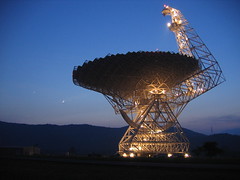
The GBT is an amazing machine, but with seven million kilograms running back and forth constantly, the azimuth track recently started to wear out. So the summer of 2007 was spent replacing the track. During this time, obviously the telescope couldn't move in azimuth without risking falling off the end of the track, so it couldn't follow sources as the Earth turned. But the receivers were all working fine, and the telescope could move in elevation just fine. So the people behind the drift scan survey pointed out that if they could simply use the receivers during the repairs, recording the sky as it rolled past, they could get useful data during the summer. This made good sense to the telescope access committee, so they were given the time.

The final arrangement was that the workers would work four twelve-hour days a week, during which time no data would be taken (arc welders are not conducive to good radio reception anyway). The rest of the time was devoted to the survey, which would be allowed to move the telescope in elevation twice a day. The survey used a relatively low frequency, 350 MHz, so that the beam would be big enough for any given piece of sky to spend about two minutes in view of the telescope.

Once the survey was set up, all we needed to do (I say we because it was at about this point that I got involved) was move the dish once a day, start the data recorders, and deal with the data. Dealing with the data was more involved than it sounds, because the data came in at a rate of about 90 GB/hour. So leaving analysis aside for the moment, we filled a couple of 800 GB disks a day, and somebody had to move all the data onto them and box them up for shipping to the various universities that would analyze the data. So when I went down to the telescope to observe as part of the survey, what I actually did was run a couple of scripts a day and shuffle disks.

In the end, the survey covered roughly a third of the celestial sphere, producing 134 TB of data. We're still analyzing the data - maybe only a quarter of it has actually been processed at this point, a year and a half later - but we've already found a number of new pulsars, some of them fascinating. So I think there are worse things the GBT could have done with those two months of track repair.

Full post

Remote observing


Professional astronomers don't really look through telescopes any more. Even leaving aside all the observations that look at frequencies invisible to the human eye, with the advent of photographic plates it became possible to see much fainter stars with the same telescope by taking a minutes- or hours-long exposure than by actually looking through it. (To the right you see the Leviathan of Parsonstown, the last giant telescope built in the pre-photographic era.) CCDs, more sensitive and more consistent, have now replaced photographic plates. So most observations are just long exposures that go onto disk for later processing. That raises the question: do you actually need to be at the telescope during your observation?

In many cases, at least in radio astronomy, we don't go to the telescope at all. For some telescopes, like the VLA, when you are allocated time, you simply send them an observing script - "look at my target for five minutes, then the calibration source for two, then back to my source, then..." - and the operators run it and send you an email when your data's available. For others, for example the GBT and Arecibo, you have to babysit the observation remotely.

For this sort of telescope, about half an hour before the observation starts, you open up a VNC session on one of the computers at the telescope, and you give the operator a call. (At Arecibo the automated attendant gives you a cheery message "Este es el observatorio de Arecibo!")

The operators at these telescopes are generally non-astronomers, locals put in charge of the telescope. They are responsible for safety, both of people and of the telescope. At the GBT, on the control room balcony they have a pair of high-powered Navy surplus binoculars so the operator can take a good look at the telescope, make sure nobody's nearby and there's nothing wrong with it. Their biggest concern is weather: imagine the effect of a sturdy gust of wind on a 100-meter dish. So it's their job to handle "wind stows", tipping the telescope up until the dish is horizontal ("birdbath position") to reduce the wind load, and other weather concerns (one observation I had scheduled, the operator had to take the telescope out of wind stow every so often to dump the snow out of it - as you might imagine, I didn't get to actually observe that day).

The other job of operators is to control access to the telescope. Normally telescope time is allocated by the telescope access committee, but it's the operator who actually hands over control of the telescope pointing to the astronomers who have time. Normally this is perfectly routine, though sometimes someone will finish early (perhaps because their source set) or ask for a few extra minutes (perhaps to re-do a calibration scan). But it also happens that the schedule gets changed at the last minute. For example, at Arecibo they have a megawatt radar transmitter they use for atmospheric and planetary studies. This runs on its own generator, and when something breaks, they can't use the time and suddenly a slot opens up in the schedule. Usually the operator calls somebody they know wants time, or offers the time to whoever has the time block before or after. In any case, it's the operator who hands you control of the telescope when your time starts.

These big telescopes are very complicated machines, and so they each have a collection of software used to control them. This handles pointing and tracking, receiver and signal path selection, gain adjustment and balancing, and in most cases, control of the recording instrument. So normally, you command the telescope to point to your source, you set up and balance the receivers (usually using a standard script) and you hit "start observation" and the telescope starts taking data.

This system is necessarily all sui generis hardware and software, cobbled together and more-or-less tested. It normally works exceedingly well, but problems do crop up. So it's good, when possible, to come up with some way of monitoring the data that's coming in. If you're looking at a known pulsar, the usual answer is to fold a short piece of the data at the pulsar period and see if you can see the profile. If that comes out okay, things are probably fine.


For pulsar astronomy, though, hardware has been improving rapidly. We now have new backends - recording instruments - that can do much better timing than was possible even a few years ago. These systems are complicated experimental software running on clusters of computers, and they have their quirks; among others, they're not integrated with the standard observing software. So for these systems, you have to open up another desktop, run a handful of arcane unix commands, and hope nothing goes wrong you don't know how to fix (see above screenshot for what it looks like when things are working fine). But the data that comes out is beautiful: we can measure pulse shape and arrival time with microsecond accuracy.

So remote observing basically amounts to logging in to a VNC session on a computer at the telescope, using telescope control software to get the system pointed and calibrated, and then starting up the observing system. Is this losing something compared to actually going to the telescope and observing? Yes and no. Control-wise, if you're sitting in the control room, you log into exactly the same VNC session and use exactly the same software. And if you're observing for an hour and a half every three weeks, it saves an awful lot of travelling for anyone who doesn't live at the telescope. But if you're at the telescope you can talk to the operators face-to-face, and there are astronomers and telescope experts on-site you can discuss things with in person. It's also probably easier for the operator to reach you if something comes up (like a free block of time).

Full post